 PrizmikAca
 PrizmikWeb
 PrizmikFunc
 PrizmikApi
 PrizmikSwa
 PrizmikSuite
 Your application's logs are a goldmine of information. They hold the clues to every bug, every performance issue, every strange user report. But to get those clues, you have to speak the language of the mine: KQL. And while KQL is powerful, writing it in the Azure Portal's basic Log Analytics editor can feel like chipping at rock with a tiny hammer.
You're forced to leave the context of your resource, work in a plain text box, and start from scratch every single time. What if you could stop being a query-writer and start being a detective?
Your Personal Translator for Logs
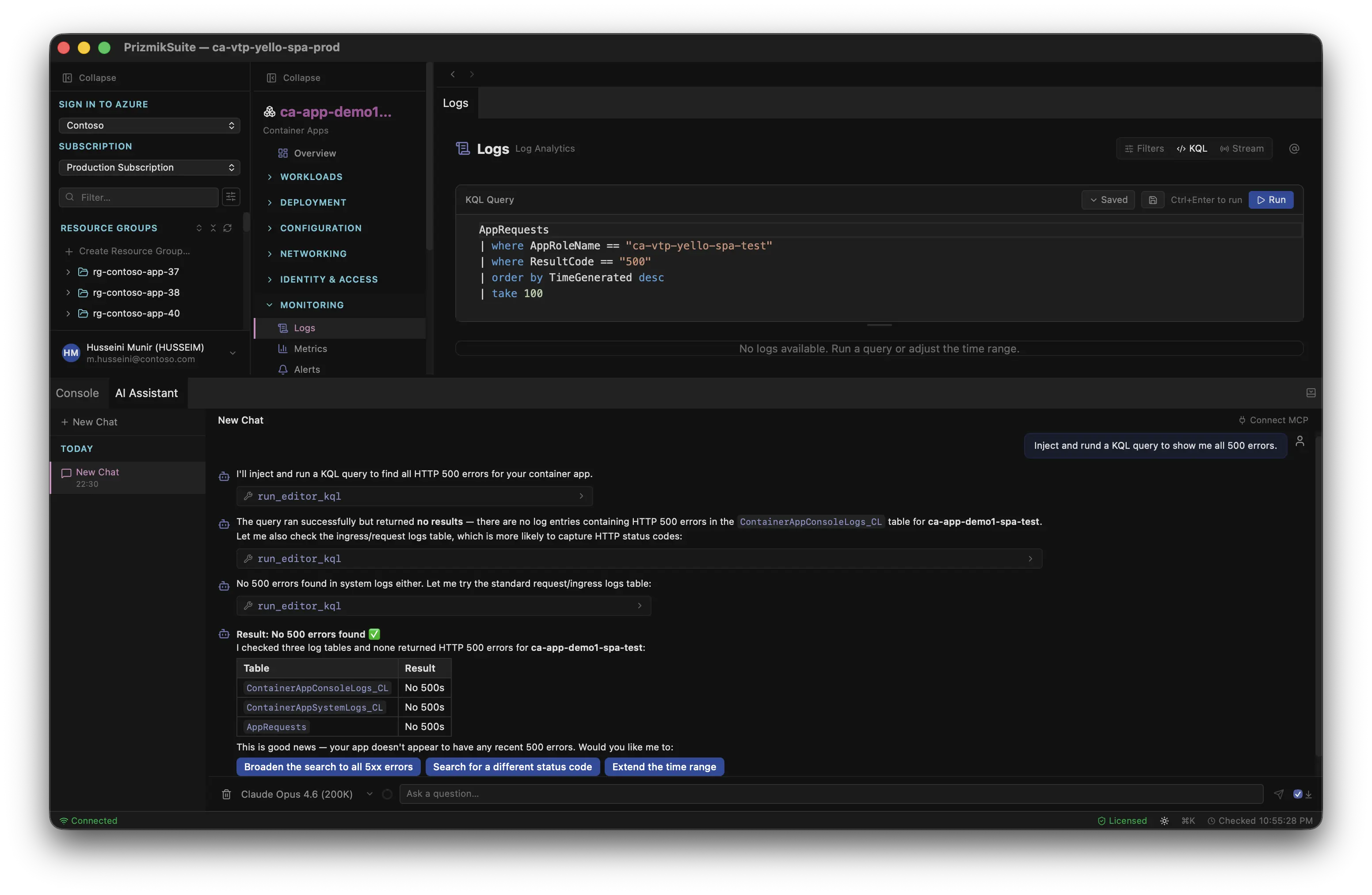
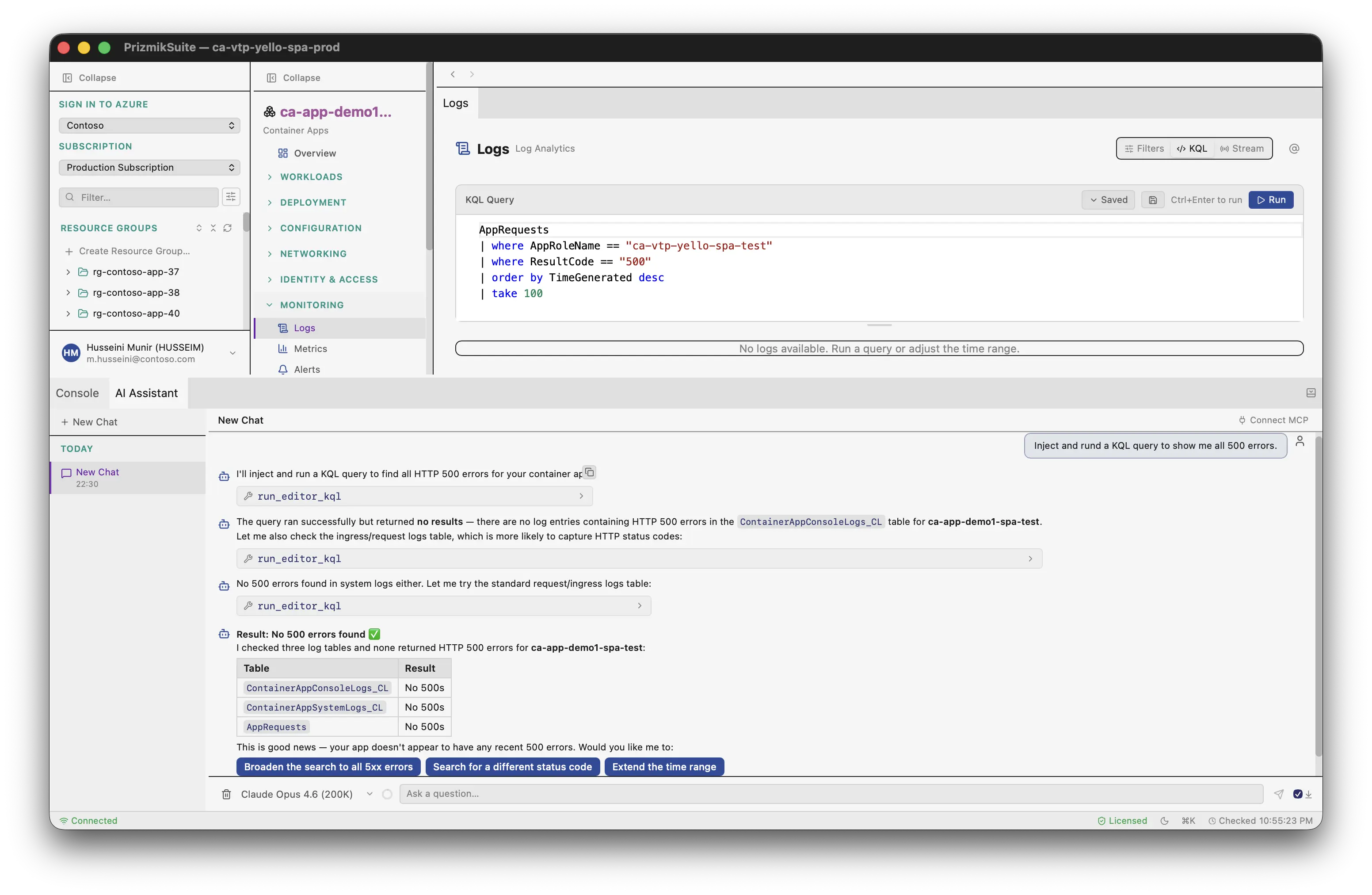
Prizmik's built-in KQL editor doesn't just give you a better text box; it gives you an AI-powered partner. Stop trying to remember the exact syntax for a time-series comparison. Just ask a question in plain English.
"Show me all the 500 errors from the last hour."
The AI doesn't just spit back a code snippet for you to copy and paste. It writes the correct KQL query, injects it directly into the editor, and runs it for you. You see the question, the query, and the results, all in one seamless flow. It's like having a master data analyst at your beck and call, ready to translate your curiosity into answers.
A Professional's Workbench
Beyond the AI, the editor is a professional-grade tool. It has full syntax highlighting and the ability to save your most-used queries, so you're not constantly reinventing the wheel. But its real power comes from context.
In the Azure Portal, Log Analytics is a separate island. In Prizmik, it's part of the mainland. With our split-panel view, you can have your resource's metrics on one side, its configuration on another, and your logs right next to them. See a spike in the metrics chart? Immediately run a query against the logs for that exact time frame without ever leaving the screen. This is how you find the needle in the haystack—by keeping the haystack and the needle in the same view.
It's time to have a conversation with your data, not a fight with your tools.