
 PrizmikAca
 PrizmikWeb
 PrizmikFunc
 PrizmikSwa
 PrizmikSuite

Manage your
Azure API Management
Stop navigating 15 Portal blades just to ship one policy change. APIs, products, subscriptions, policies, certificates, and diagnostics stay in one desktop workflow.
Built for engineers who ship APIM changes daily — not occasional portal clicks.
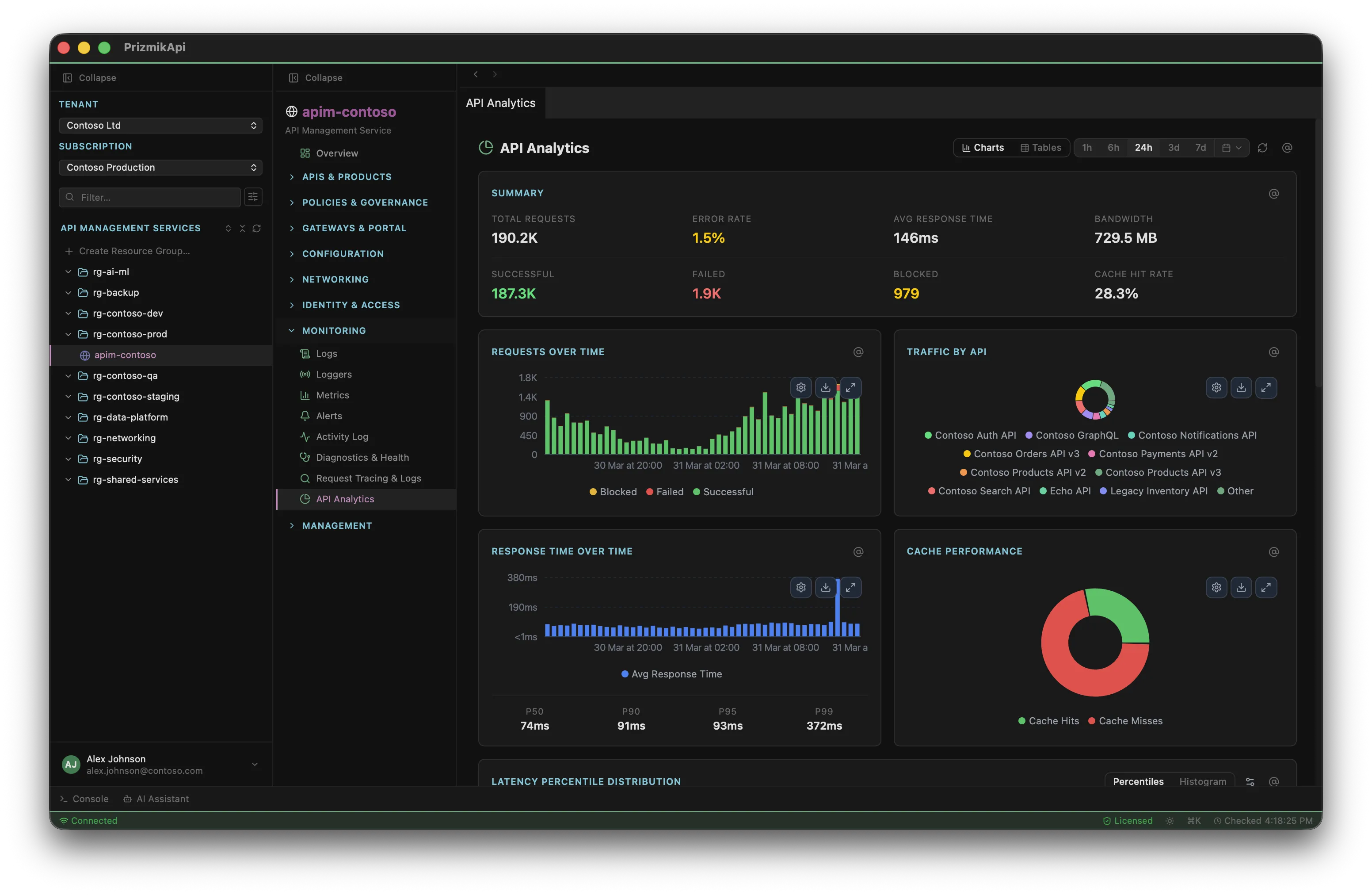
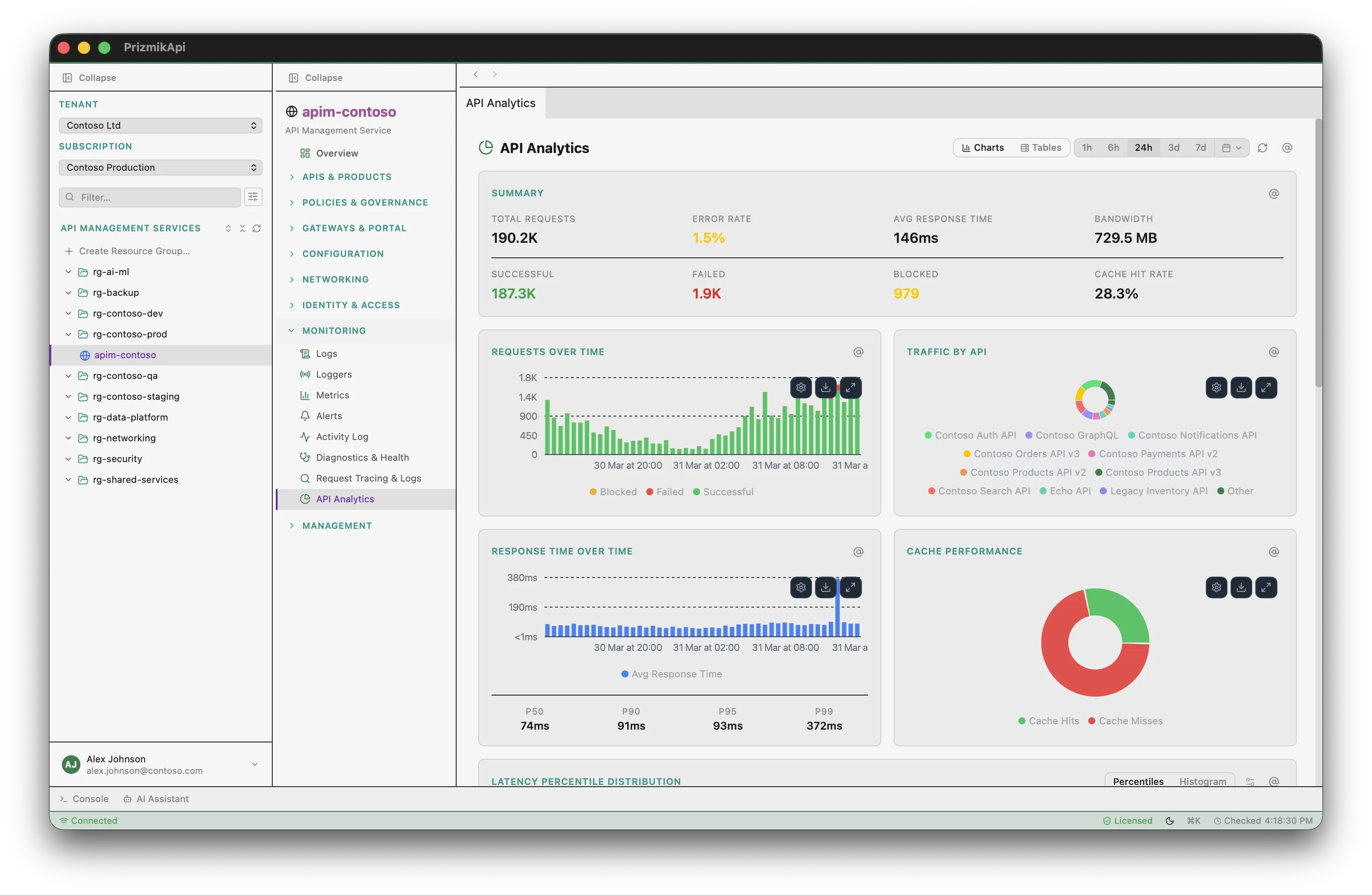
Full APIM management in one window
APIs, operations, policies at 4 scopes, products, subscriptions, named values, certificates, caches, users, groups — complete CRUD, not just a dashboard.
APIs, operations, and policies
at every scope
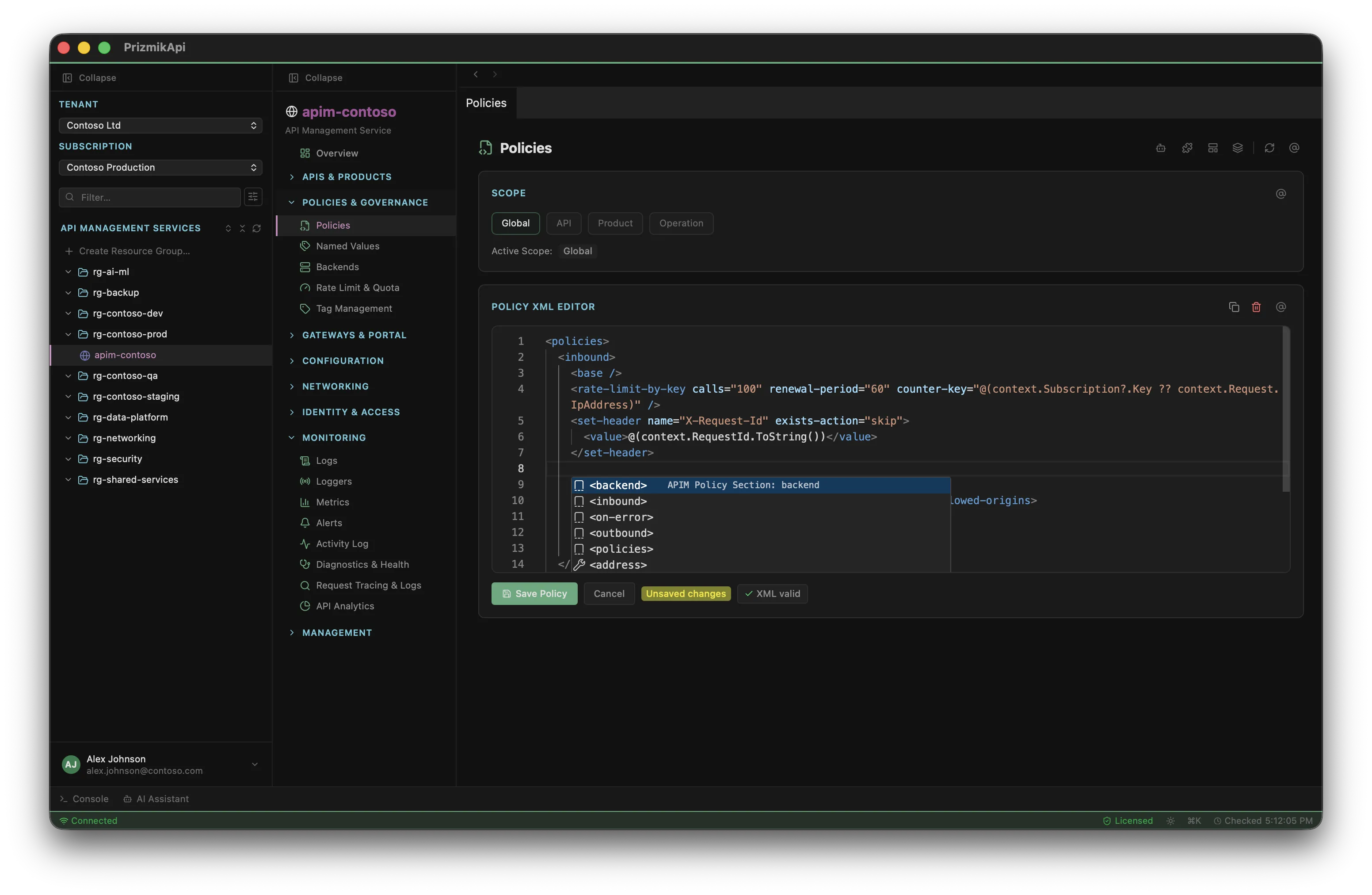
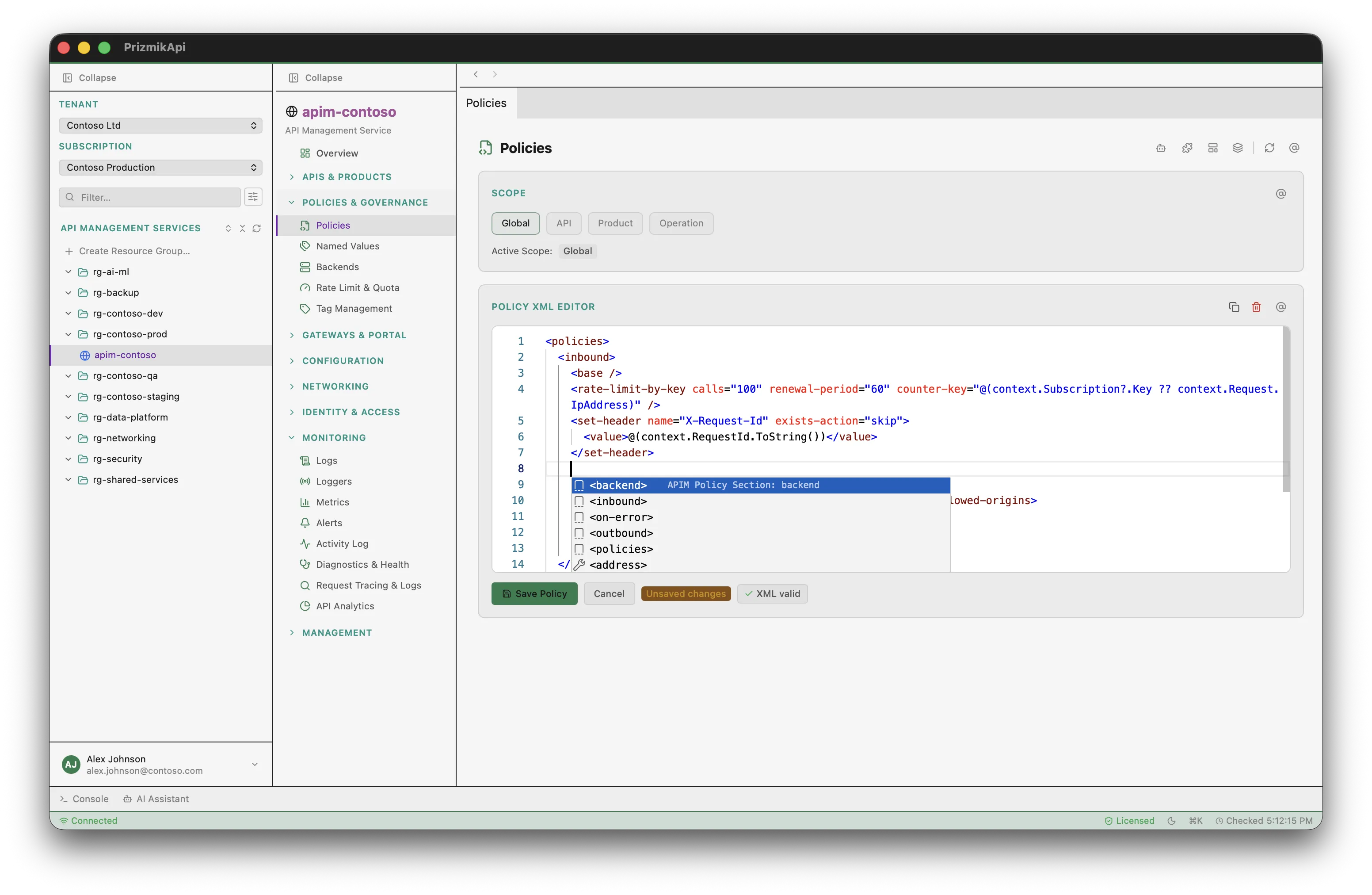
Import APIs from OpenAPI, Swagger, WADL, or WSDL. Expand rows to see operations. Manage policies at global, API, product, and operation scope — get, set, and delete. The Azure Portal requires navigating to different blades for each scope. Here, it's one panel.
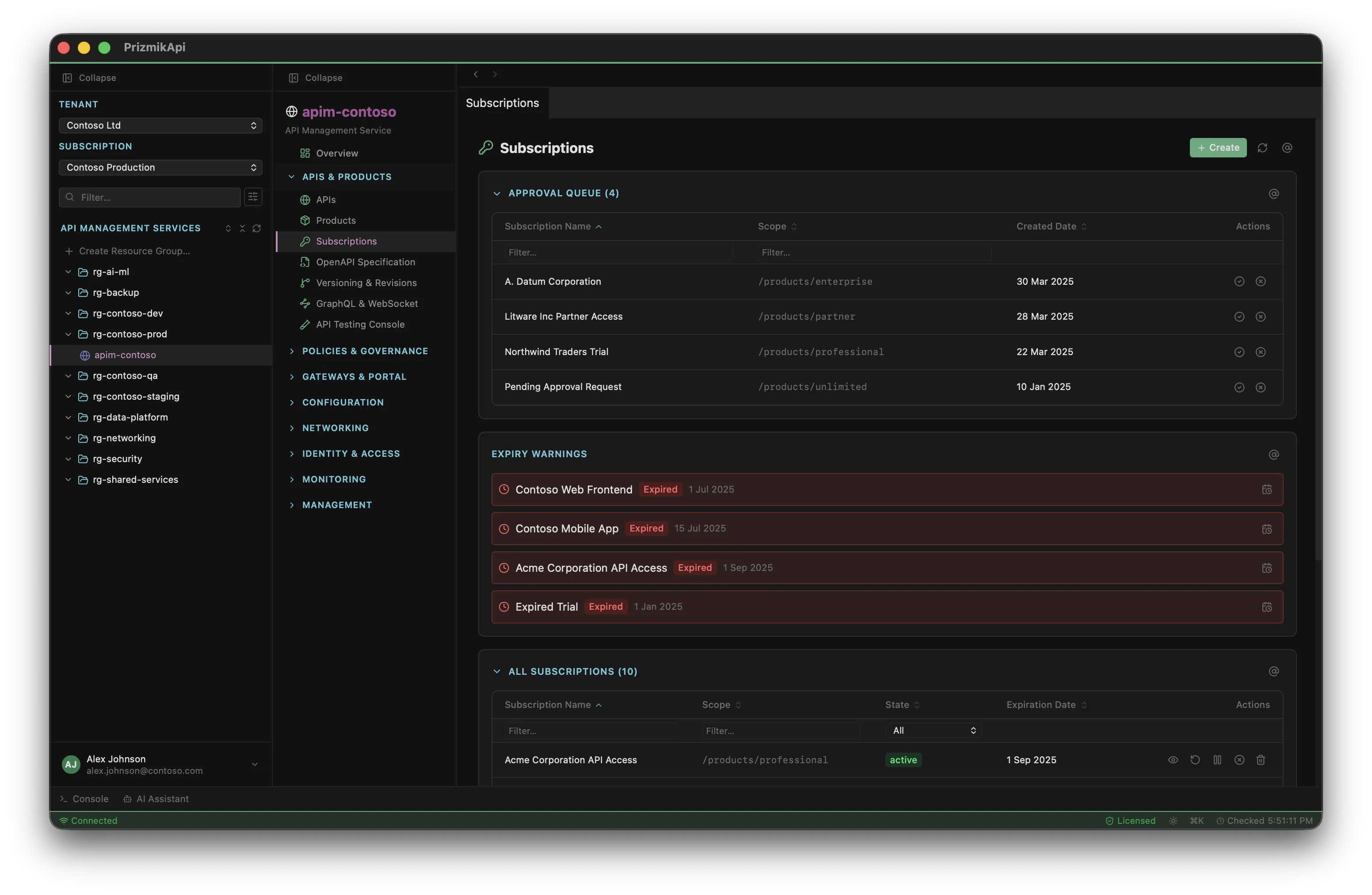
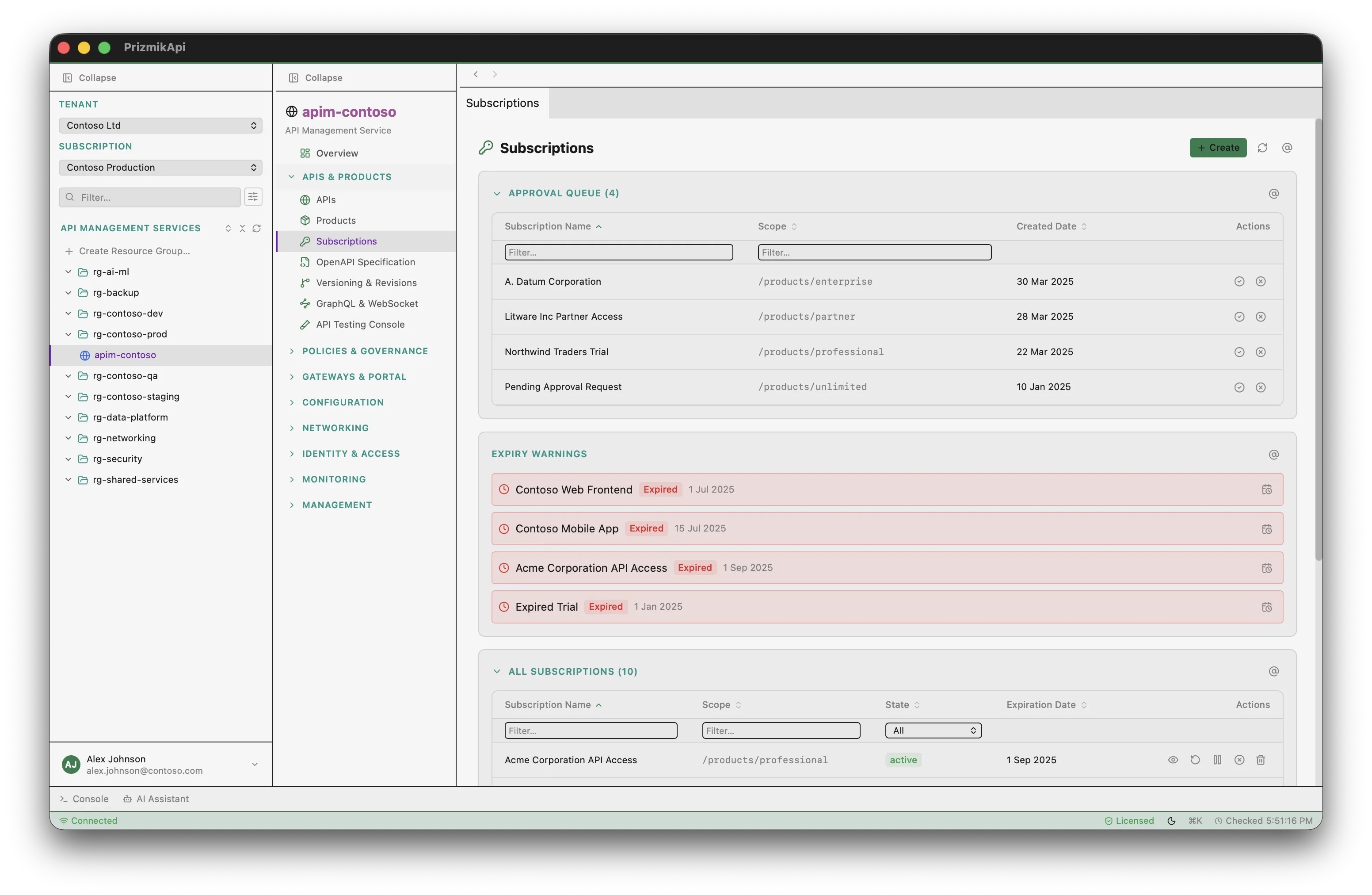
Subscription keys
reveal, copy, regenerate
Show/hide primary and secondary keys per subscription. One-click copy to clipboard. Regenerate keys instantly. Create new subscriptions with scope selection. In the Portal, this requires multiple clicks and page loads per key.
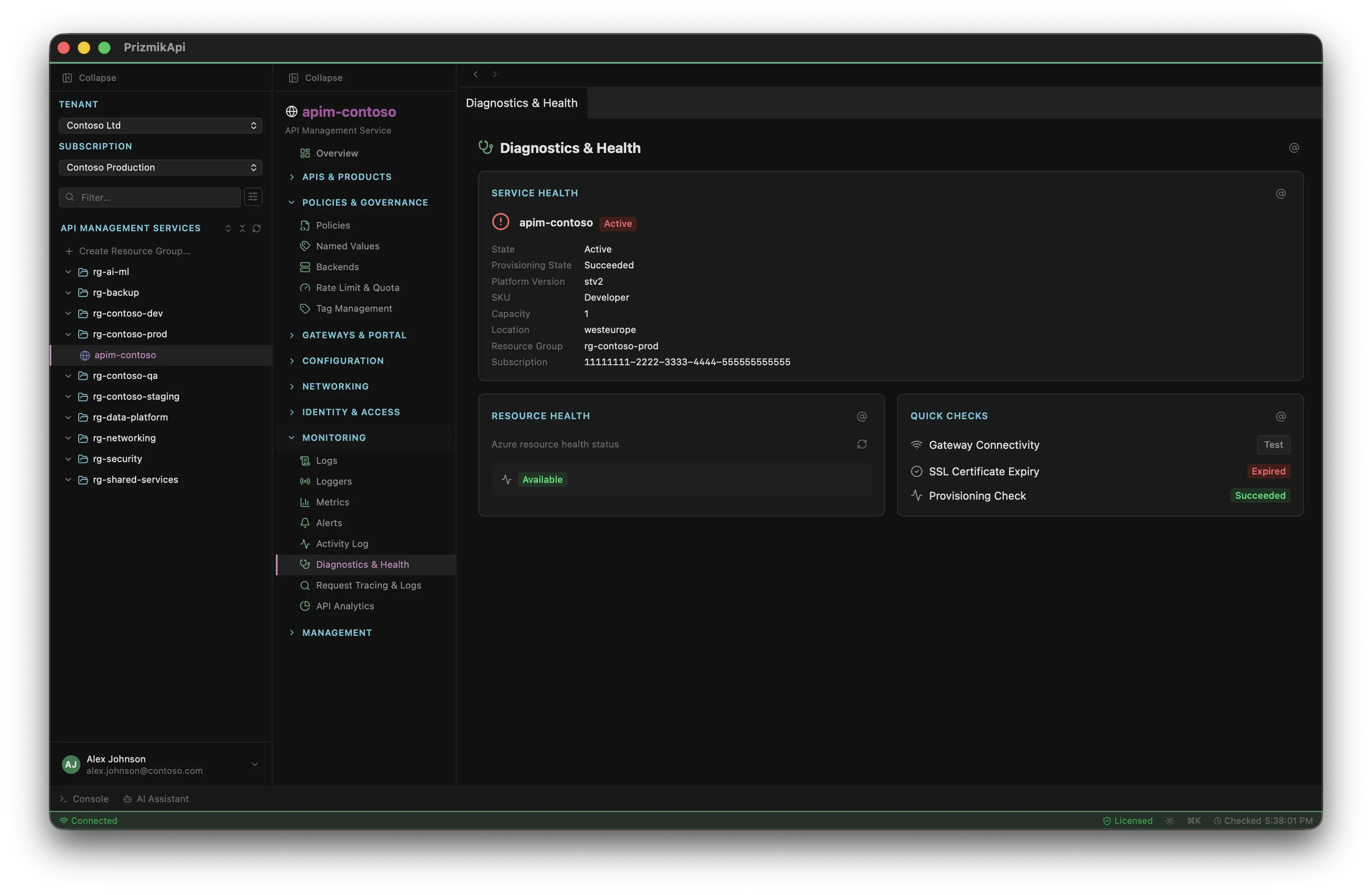
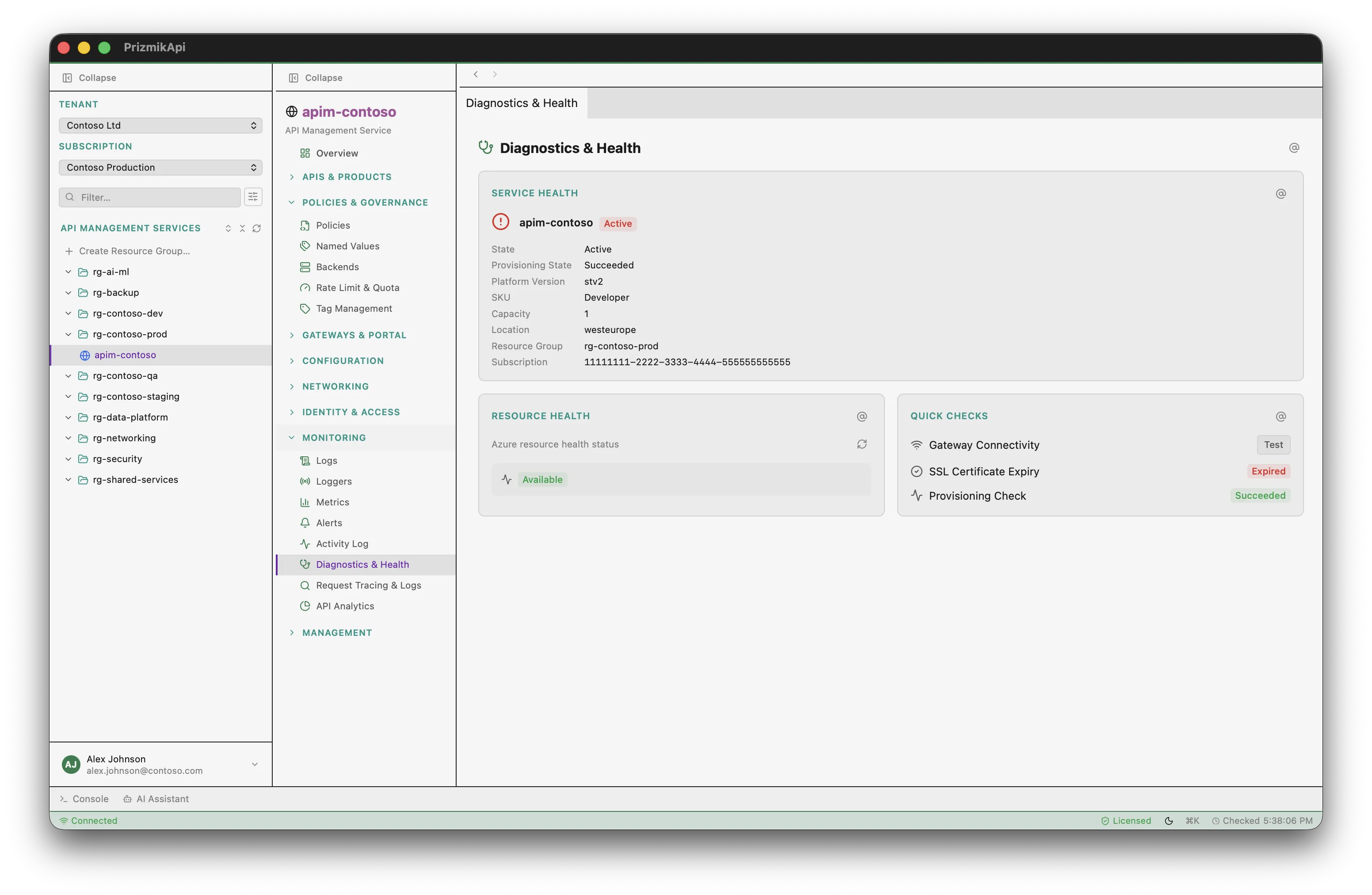
Gateway health & SSL checks
in one panel
Service health, resource health, gateway connectivity test, SSL certificate validation, and provisioning state — all in a single diagnostics panel. Certificate expiry warnings highlight certificates expiring within 30 days. The Portal has no combined health view like this.
AI that actually does things
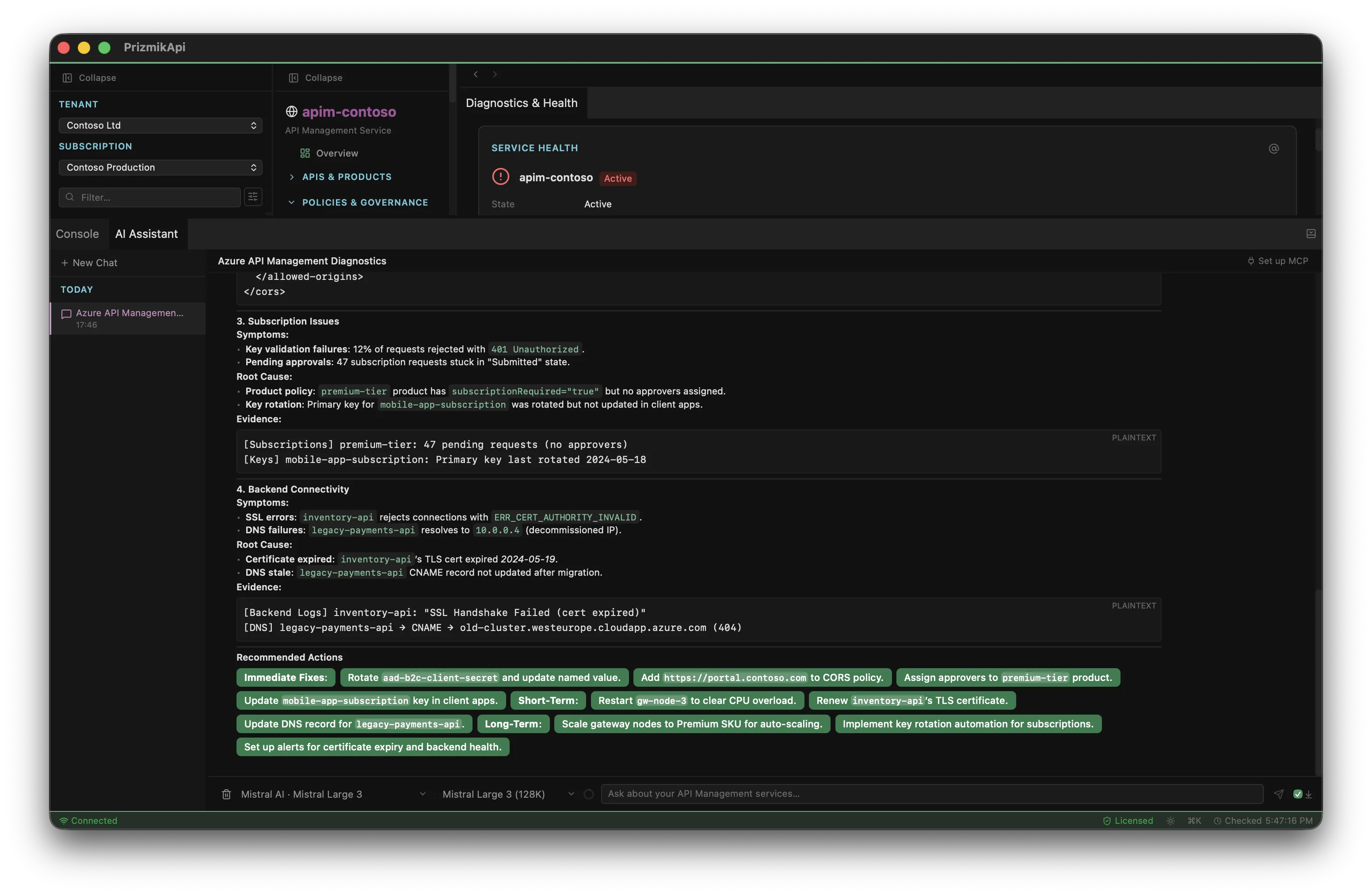
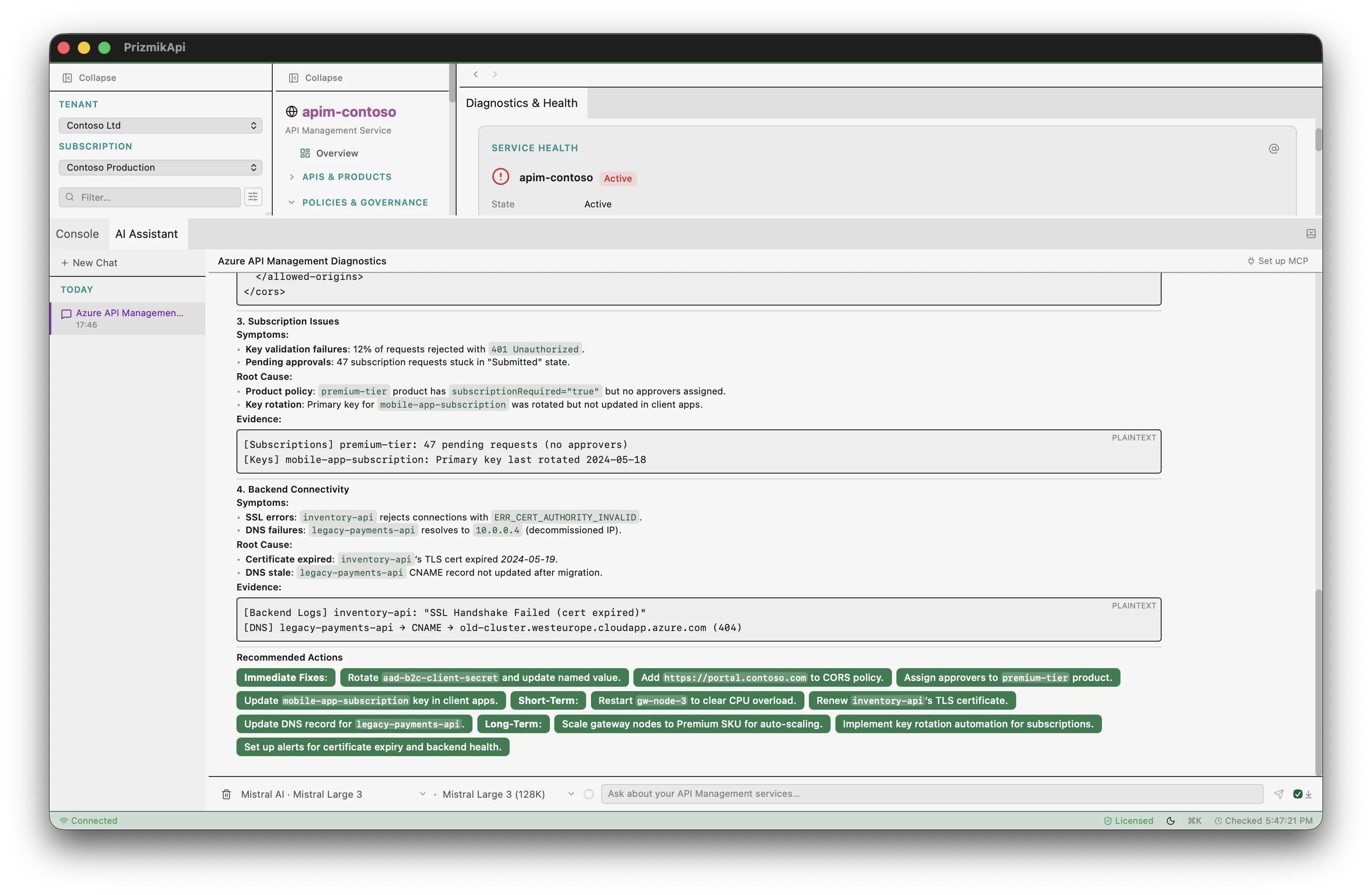
Not a chatbot that suggests what to do. The built-in AI assistant has tools to query your APIM resources, check gateway logs, analyze request metrics, and troubleshoot configuration — all with your confirmation. Supports 13 providers — bring your own API key. A built-in MCP server lets external AI assistants in VS Code, Windsurf, or Cursor call into Prizmik sessions, enabling AI-to-AI collaboration without leaving your editor.
Your entire APIM estate —
one sidebar, one ⌘K
Navigate all your Azure API Management services from a single sidebar. Switch tenants and subscriptions, browse resource groups, and jump to any panel with ⌘K. No browser tabs. No CLI windows. Just a fast, keyboard-driven desktop app.
- Command palette — fuzzy search across services, panels & actions
- Sidebar tree with resource groups & multi-tenant support
- Keyboard shortcuts
- Multi-window — open any APIM service in its own window
And much more
Product Management
Create, publish, unpublish, and delete products. Link APIs to products. Manage subscription and approval requirements.
Named Values
Create, inline-edit, and delete named values. Secret masking, tags, and one-click management — no Portal blade switching.
SKU & Scaling
Interactive SKU tier selector — Consumption, Developer, Basic, Standard, Premium. Capacity slider within tier limits.
KQL Log Queries
Built-in KQL editor for ApiManagementGatewayLogs. Saved queries, CSV export, resizable editor — no Log Analytics needed.
Request Metrics
Real-time charts for requests, capacity, duration, and backend duration — right next to your APIM service.
Cost Analyzer
Azure Cost Management integration — usage breakdown by meter category, right next to your APIM instance.
VNet & Networking
Switch between None, External, and Internal VNet types. Gateway and Management API endpoints. Public and private IPs.
Identity & RBAC
Managed identity, authorization servers, users, groups, and role assignments — all in context.
5 Languages
Full i18n: English, German, French, Japanese, Chinese.
From policy bug to safe rollout
A practical APIM loop: inspect impact, patch the right scope, and validate before users feel it.
Unexpected 429s after a product update
Use one workspace to trace which policy introduced rate limiting, confirm affected subscriptions, and deploy a scoped fix without context switching.
Run gateway log queries, open request metrics, and identify the exact product/API scope causing throttling.
Edit the policy with snippets/templates, compare scope inheritance, and apply changes at the correct level.
Re-check logs and health, regenerate keys if needed, and confirm the rollout before closing the incident.
Edit at the right level
Global, product, API, and operation scopes are visible side by side, so policy inheritance is explicit before you save.
Troubleshoot and verify in one pass
No extra Portal navigation between policy editing, diagnostics, and subscription/key management.
Simple, fair pricing
Free for personal, educational, and non-commercial use. One license per seat for commercial teams.
- All core features included
- Personal, educational, open-source & pre-revenue startups
- No time limits
- AI Assistant not included
- Everything in Community Edition
- AI Assistant (bring your own API key)
- Per seat — use on any platform
- All updates within the major version
* Net price. The final price including VAT will be calculated during checkout based on your country. Learn more about pricing and taxes.
Common questions
What is PrizmikApi?
Is it free?
Does it support macOS, Windows, and Linux?
Does PrizmikApi collect telemetry?
How does the AI assistant work?
What does "per seat" mean?
Do I need Azure CLI?
az login, and PrizmikApi will use your existing permissions — no extra credentials needed.Start managing your Azure API Management in 60 seconds
Choose your platform and download. Free for personal, educational, and open-source use.
Requires Azure CLI to be installed and authenticated.