
 PrizmikAca
 PrizmikWeb
 PrizmikFunc
 PrizmikApi
 PrizmikSwa
 PrizmikSuite
 Which headline converts better? Does the blue button get more clicks than the green one? These are the questions that separate good products from great ones. The answer is always the same: "Let's test it." A/B testing is the engine of modern product design, but for many teams on Azure, it's a gear that's been too difficult to turn.
Azure Static Web Apps has a powerful traffic splitting feature that makes A/B testing possible. The catch? It involves hand-editing a brittle staticwebapp.config.json file. One misplaced comma, and you could take down your entire site. It's a process so fraught with peril that many teams simply don't bother.
From Mad Science to a Controlled Experiment
PrizmikSwa transforms A/B testing from a risky JSON surgery into a simple, visual, and safe experiment. Here's how you can go from a question to a data-driven answer in minutes.
1. Launch Your Challenger
First, create your new idea on a separate git branch. A new landing page, a different pricing model, a bold new call to action—whatever you want to test. When you push the branch, your CI/CD process automatically creates a preview environment in Azure. PrizmikSwa will show you that this new "challenger" environment is live and ready.
2. Open the Gates (Just a Crack)
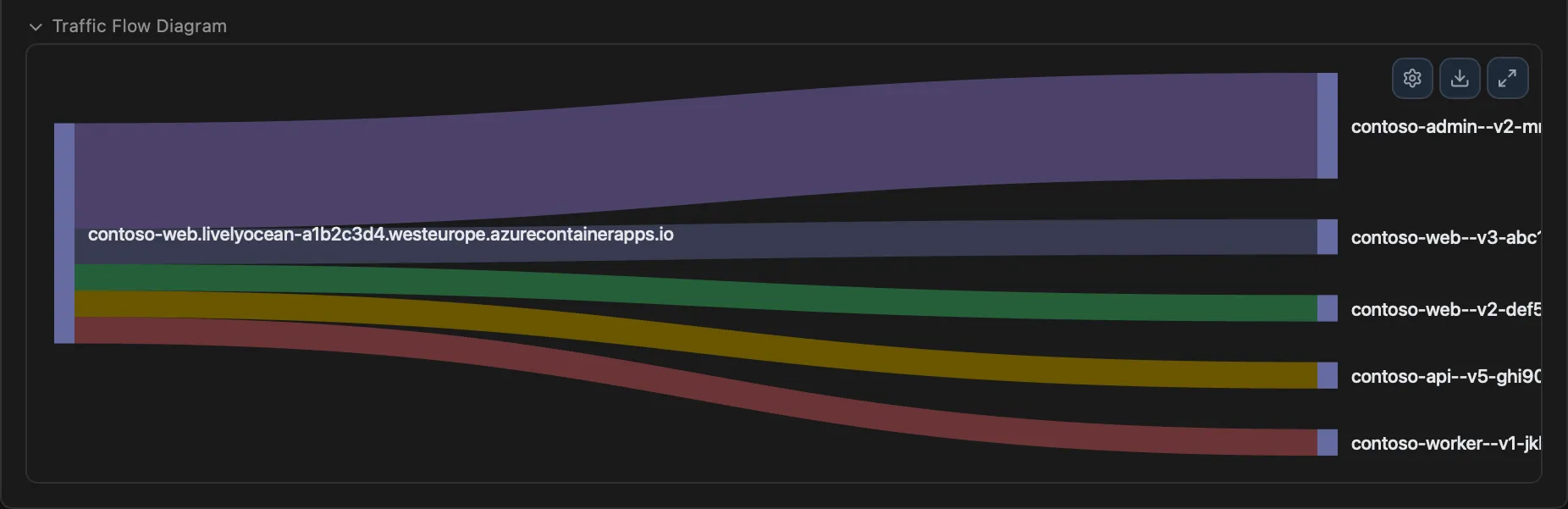
Now for the magic. Instead of wrestling with JSON, you open PrizmikSwa's Traffic Splitting panel. Here, you see your production site and your new challenger. All you have to do is drag a slider. Want to send 10% of your users to the new version? Just slide the dial to 10. You're not writing code; you're directing traffic.
3. Watch the Race
With the test running, PrizmikSwa's analytics panels let you see which version is winning. You can monitor traffic, see which pages are most popular, and get the data you need to make a decision.
4. Crown the Winner
Did the new version win? Great. Go back to the Traffic Splitting panel and slide the dial to 100%. Your new design is now live for everyone. If the old version performed better, simply slide back to 0% and delete the challenger environment. The entire process is visual, intuitive, and completely reversible.
More Than Just a Test
This powerful visual control is fantastic for A/B testing, but it's also your secret weapon for canary deployments. Roll out a major new feature to just 1% of your users, watch for errors, and then gradually open the gates. It's the safest way to ship ambitious changes.
Stop guessing and start knowing. With PrizmikSwa, you finally have the tools to let your users tell you what they want.