
 PrizmikAca
 PrizmikWeb
 PrizmikFunc
 PrizmikApi
 PrizmikSwa
 PrizmikSuite
 The dream of the AI assistant is a powerful one: a tireless, brilliant partner who can help us build, debug, and manage our complex cloud infrastructure. Both Azure and Prizmik offer AI assistants, but they represent two fundamentally different philosophies. To understand the difference, it helps to think in terms of a metaphor: the Librarian and the Engineer.
Meet the Librarian: Azure Copilot
The Azure Copilot is like a deeply knowledgeable librarian. It has read every book in the vast Azure library. You can ask it anything, and it will provide excellent, accurate information. It can point you to the right reference, explain a complex concept, and even tell you the exact command you would need to run to accomplish a task.
But the librarian's job ends at the library door. It will give you the blueprint, but it won't help you build the house. It's an invaluable resource for learning and guidance, but the doing is still up to you.
Meet the Engineer: Prizmik AI
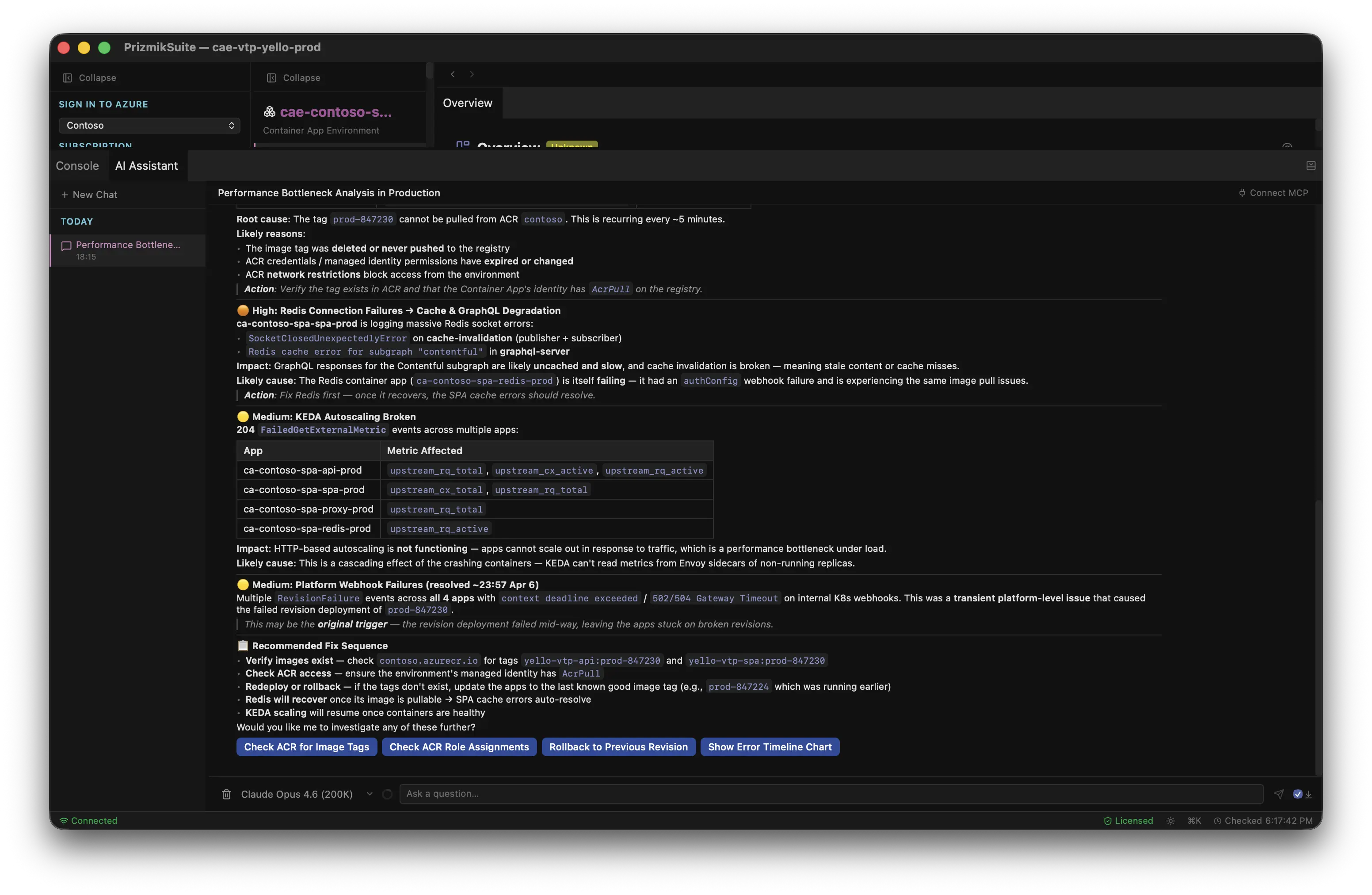
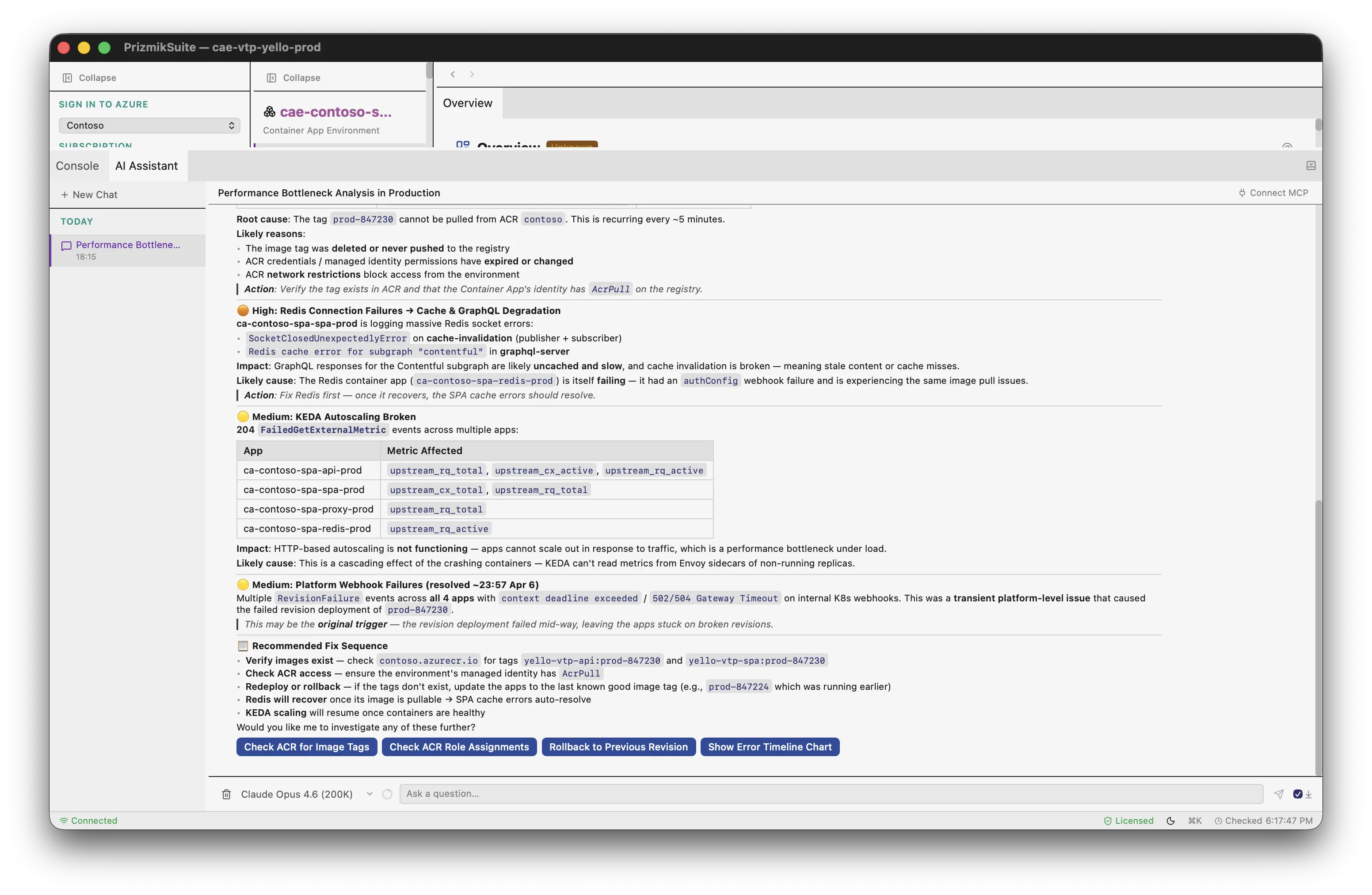
Prizmik AI is an engineer. It has a toolbox, and it knows how to use it. When you give it a task, it doesn't just tell you how to do it; it rolls up its sleeves and does it. Prizmik's AI is an agentic assistant, equipped with over 60 tools to directly interact with your Azure services. It can run queries, analyze performance, and make changes—all with your explicit approval, of course.
Let's see how these two different assistants handle a couple of common scenarios.
Scenario 1: "Update my scaling rules."
You tell the Librarian, "Update the min replicas to 3 for my Container App." It consults its catalog and helpfully provides the exact az containerapp update command you need. Your job is to copy that command, switch to your terminal, paste it, and run it. The Librarian gave you perfect advice, but you did the work.
You give the same task to the Engineer. It pulls out its update-scale-rule tool, shows you a quick summary of the change, and asks, "Ready to go?" You click "Approve," and the Engineer makes the change, verifies it was successful, and reports back. The work is simply done.
Scenario 2: "Why is my Function App so slow?"
You ask the Librarian this question. It gives you excellent general advice: "You should check Application Insights for errors, look for cold starts, and review your hosting plan." It has pointed you to the right aisles in the library, but you still have to go find the books and read them yourself.
You ask the Engineer. It immediately opens its toolbox, runs queries against your logs, analyzes your configuration, and comes back with a specific diagnosis: "I've found the problem. You had 47 cold starts in the last hour, and they're adding over 3 seconds to your response time. Your current plan doesn't have always-ready instances. I recommend switching to Flex Consumption to fix this."
The Right AI for the Right Job
To be clear, the Librarian is incredibly useful. It has a breadth of knowledge covering every service in Azure, and it's included with your subscription. For general questions and learning, it's a fantastic resource.
But the Engineer is a different kind of partner. It's a specialist, focused on the five PaaS services developers use most. It's multilingual, able to use models from over 13 providers like OpenAI, Anthropic, and Google. And most importantly, it's a doer.
The choice is simple: when you need to know something, ask the Librarian. When you need to get something done, hire the Engineer.